Ride the roadbook.
Never look down.
Offline turn-by-turn for motorcycles, on Android. Record a pre-run, drop cues and notes where they matter, then ride it at speed: an arrow, a bar that fills exactly to the turn, pips in your helmet, and the cue read aloud. No account. No tracking. No signal needed.
Download roadbook.apk Android 10+ Get map packsHow it works
A roadbook is a GPX file: the line you will ride plus cues placed on it. Roadbook follows the line and plays each cue the same way, so a well-built file can be ridden fast without looking at the screen.
1 · Pre-run and record
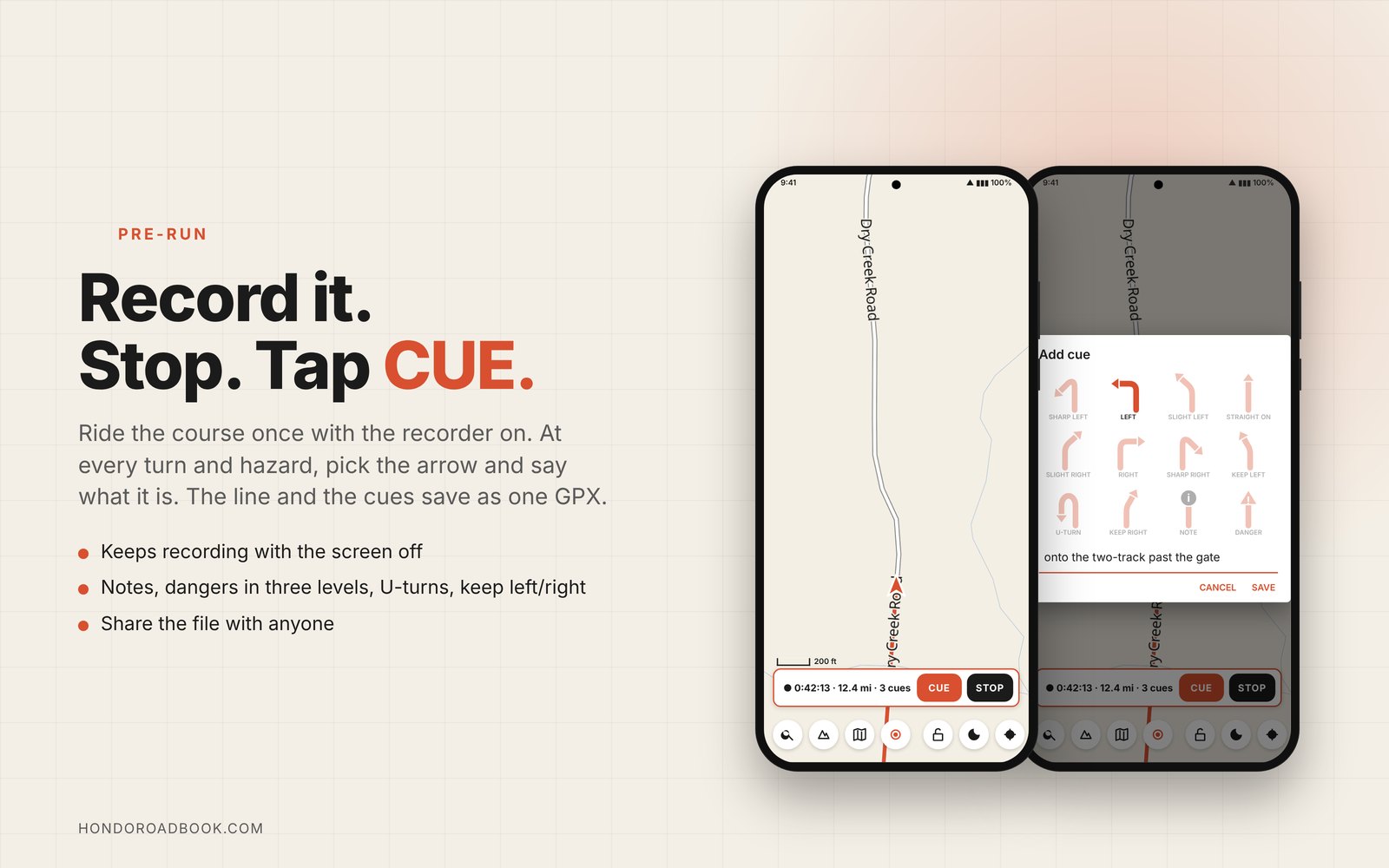
Tap record, ride the course. Stop at every turn and hazard and tap CUE: pick the arrow, say what it is. The track and its cues are saved as one GPX.
2 · Or plan it at the table
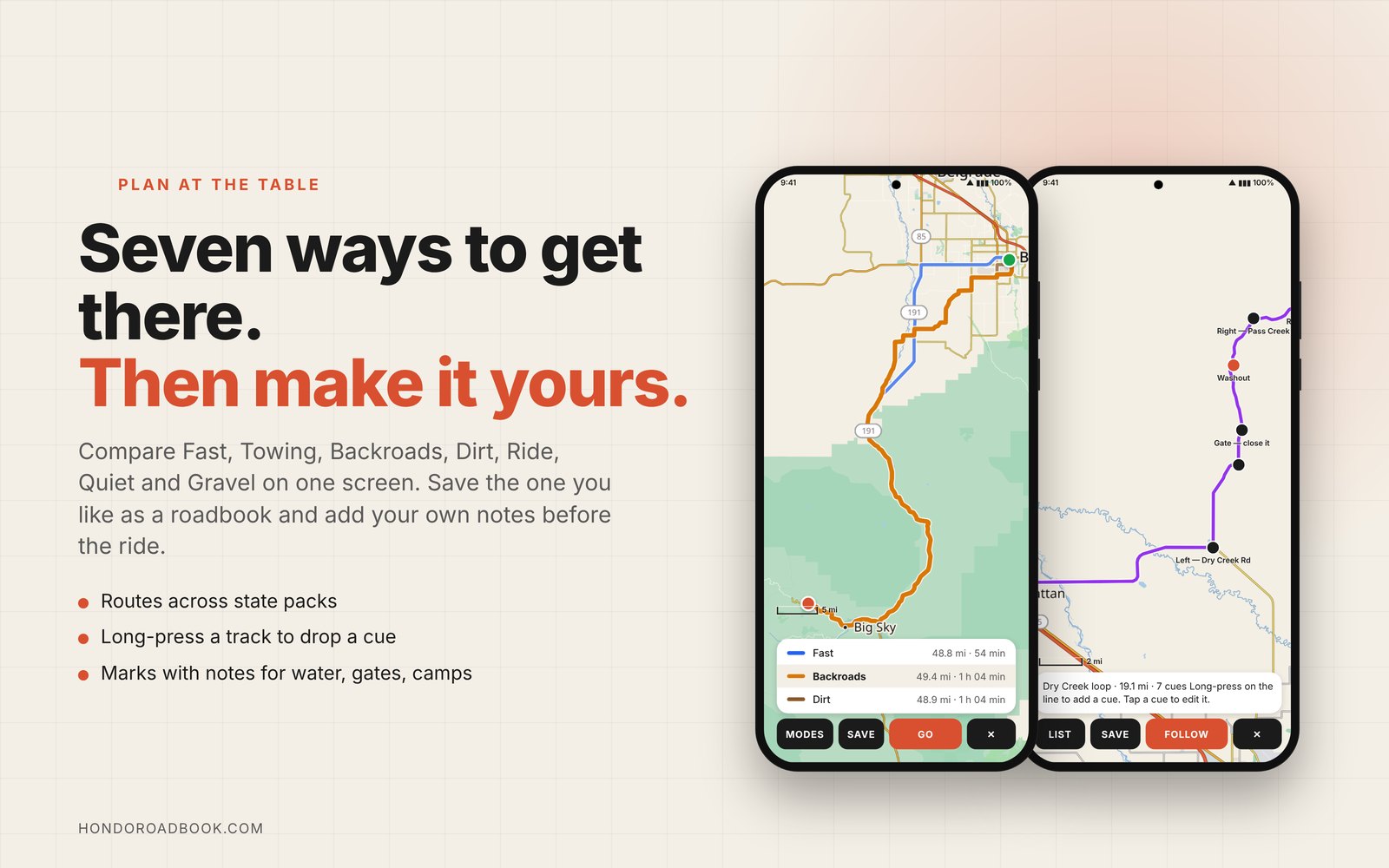
Route to a destination in any of seven modes (Fast, Towing, Backroads, Dirt, Ride, Quiet, Gravel) and save it. The router's turns are already in the file as cues; open it under TRACK → EDIT CUES and add your own.
3 · Ride it
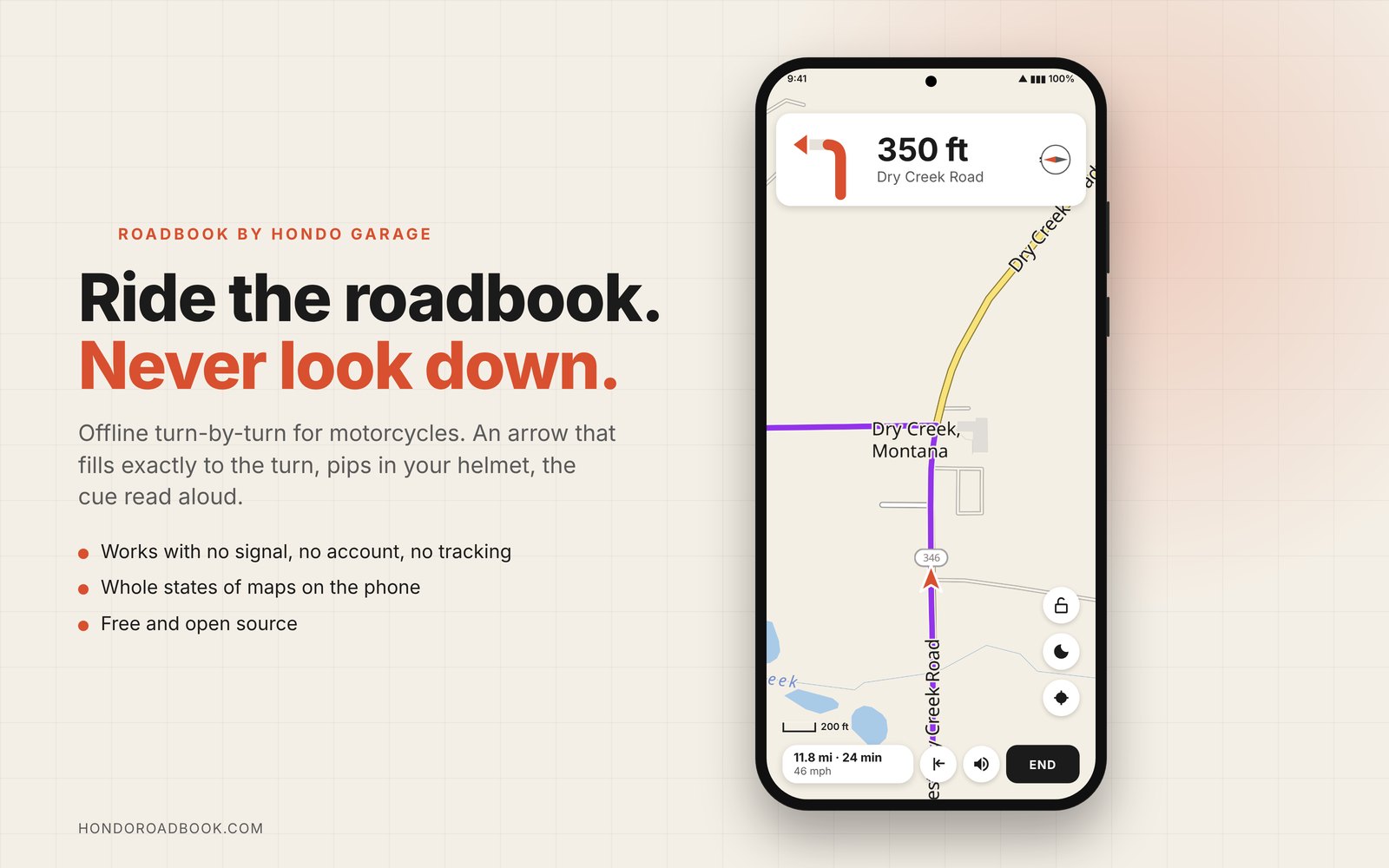
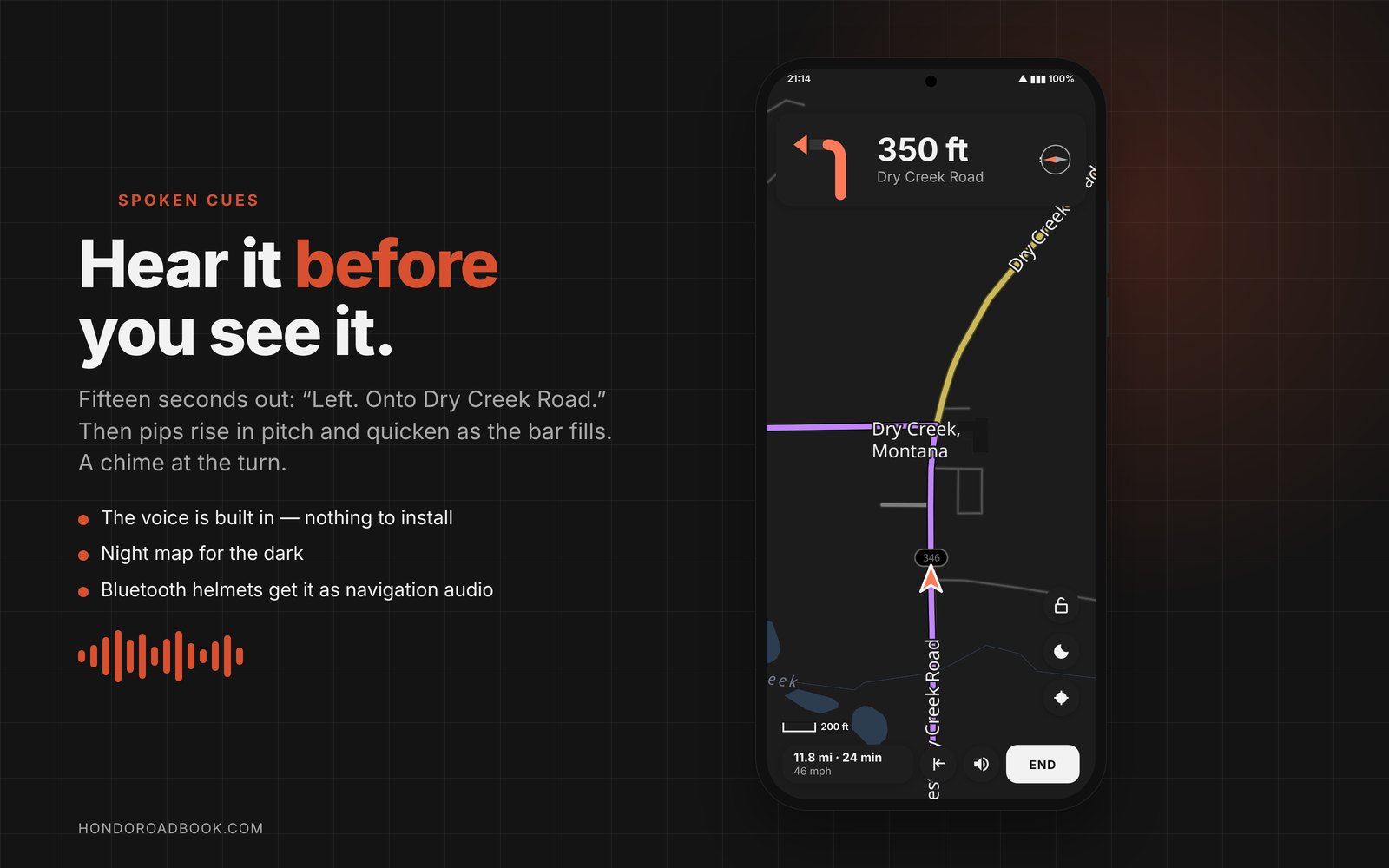
About fifteen seconds out the cue is spoken, then pips rise in pitch and quicken as the bar fills; a chime at the turn. Notes are read aloud; hazards get a low buzz. The voice is built into the app (a Piper neural voice running on the phone), so nothing needs installing and nothing leaves the phone.
Offline, by design
Maps, routing and search live on the phone. The only network use is downloading map packs from this site. GrapheneOS friendly: the app asks for location and nothing else.
Built for a glove
Round buttons, big HUD, tap the map to cycle whole-route / next-turn / close-up. An orientation lock holds the screen the way your mount sits. Sound goes out as navigation audio, so Bluetooth helmets get it.
Open source
Apache-licensed Kotlin, voice by Piper and sherpa-onnx. The same code ships as Fold, a stripped-down private version with no network permission at all.
See it
The screens, as you'll ride them. The maps are real renders from the Montana pack.
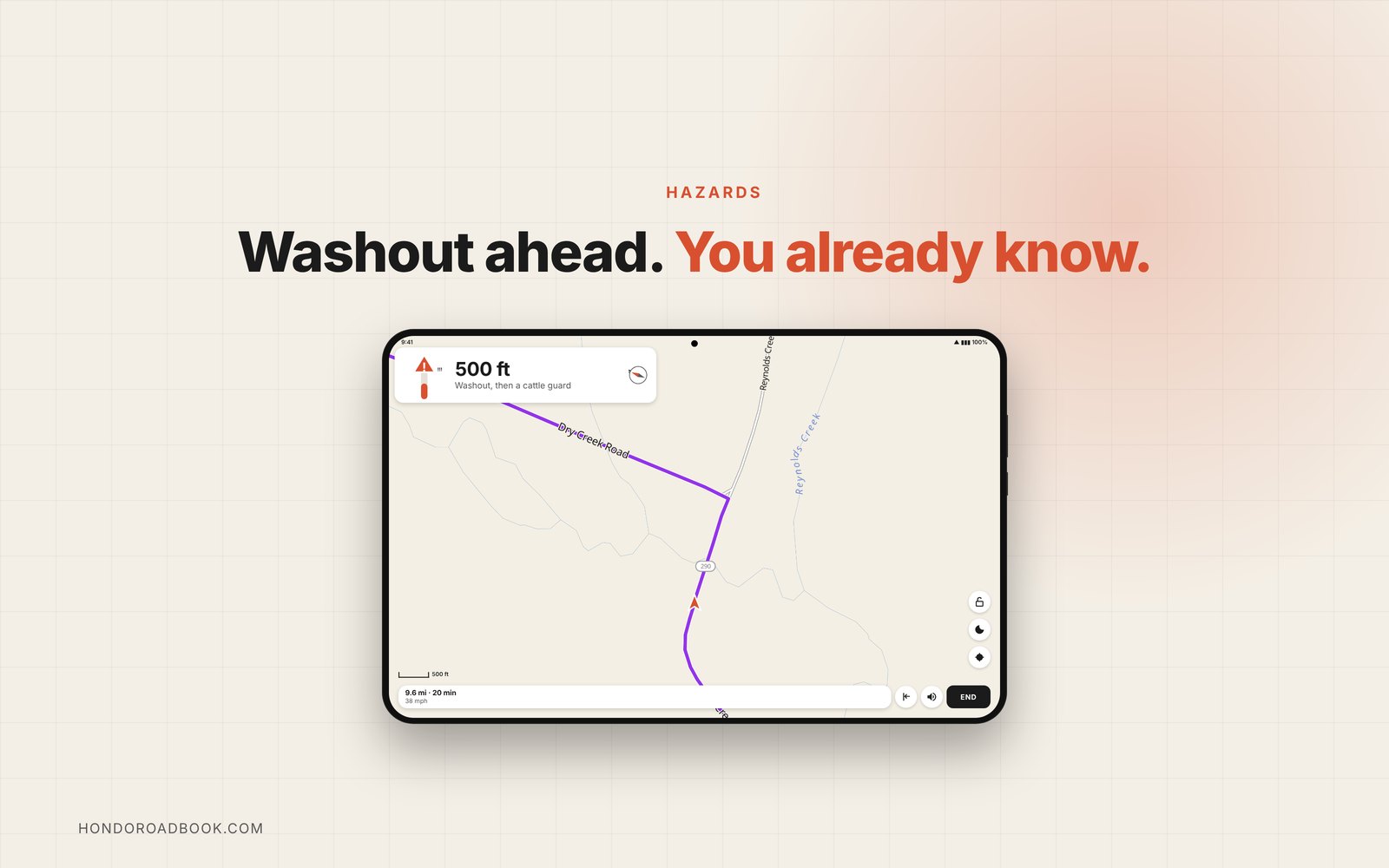
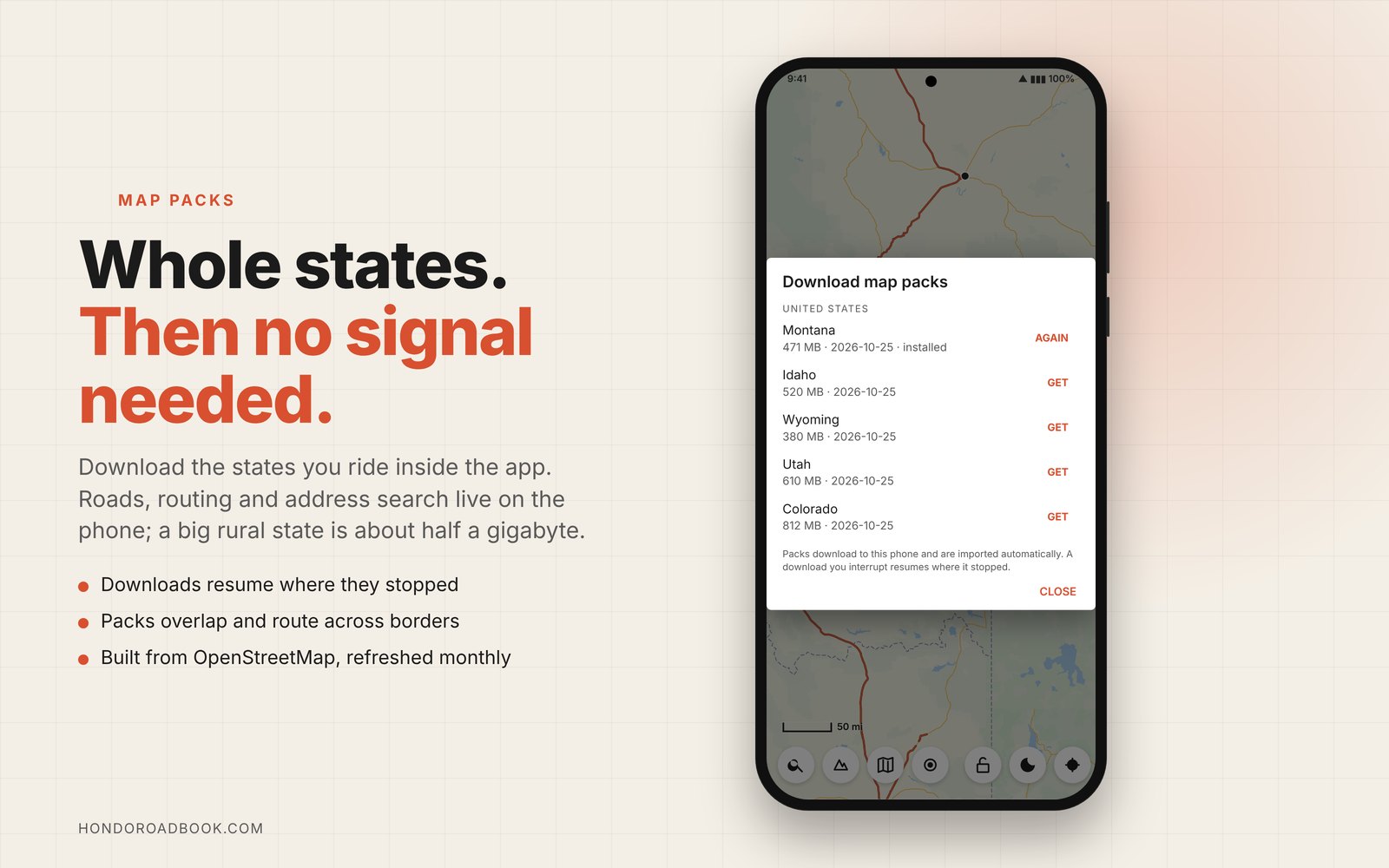
The manual walks through it in eight screens.
Map packs
Packs are built from OpenStreetMap and Protomaps and hosted here. Install any you like from inside the app (MAPS → DOWNLOAD); packs of different kinds for the same region sit side by side, and routing works across state lines. Or download one below and import the file.
| Region | Built | Size | |
|---|---|---|---|
| Loading catalog… | |||
Anything else: build your own pack from any OpenStreetMap extract with the packer in the repository.
Install
- On the phone, download roadbook.apk.
- Open it from the browser's downloads or the Files app. Allow installing from that app when Android asks, then Install.
- Open Roadbook, allow Precise location (while using the app). Allow notifications if you want the recording indicator while the screen is off.
- MAPS → DOWNLOAD and pick your states. A big rural state is about half a gigabyte.
- Turn on sound with the speaker button while navigating. The voice ships inside the app; pair a helmet headset or car stereo and the cues arrive as navigation audio.
The GPX convention
A cue is a waypoint whose <type> names it; <desc> carries the words. Any GPX editor can write these.
<wpt lat="46.0201" lon="-112.0000"><name>Left</name><desc>onto the ranch road</desc><type>cue:LEFT</type></wpt>
<wpt lat="46.0302" lon="-112.0001"><name>Danger</name><desc>washout</desc><type>danger:3</type></wpt>
<wpt lat="46.0403" lon="-112.0000"><desc>water crossing, usually a foot deep</desc><type>note</type></wpt>
Turn names: STRAIGHT, SLIGHT_LEFT, SLIGHT_RIGHT, LEFT, RIGHT, SHARP_LEFT, SHARP_RIGHT, KEEP_LEFT, KEEP_RIGHT, UTURN, ROUNDABOUT. Danger levels 1–3. Cues more than 150 m from the line are ignored.