The manual, in eight screens.
Roadbook has three jobs: get you somewhere, follow a roadbook at speed, and make roadbooks. Everything else is a button you'll find.
1Install and get maps
- On the phone, open roadbook.apk, allow installs from that app, Install.
- Open Roadbook, allow Precise location. Allow notifications if you want the recording indicator while the screen is off.
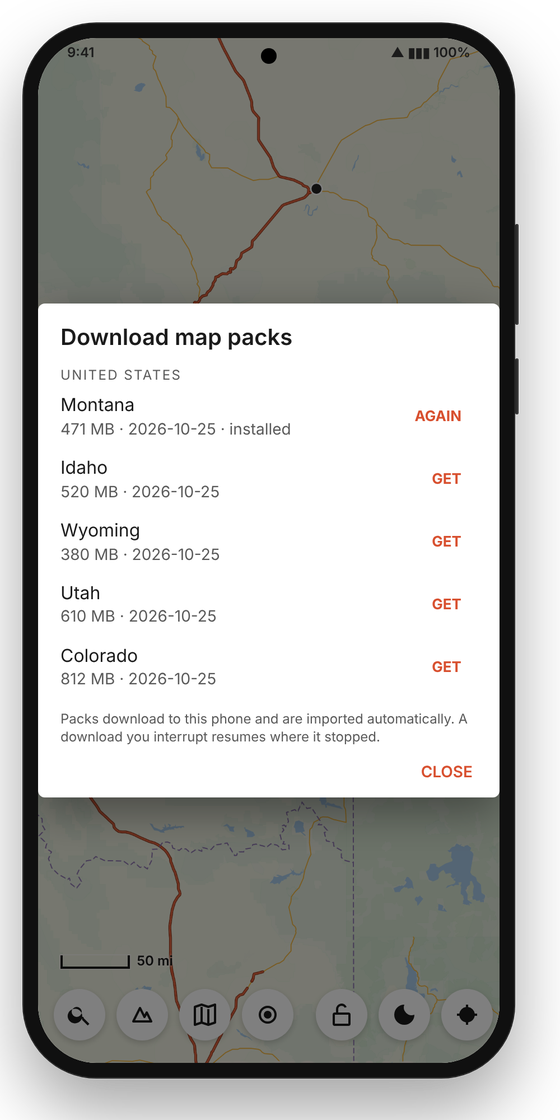
- MAPS → DOWNLOAD → GET the states you ride. Half a gigabyte for a big rural state. Downloads resume if interrupted.
That is the last time the app needs a signal. Packs overlap and route across state lines.
2Go somewhere
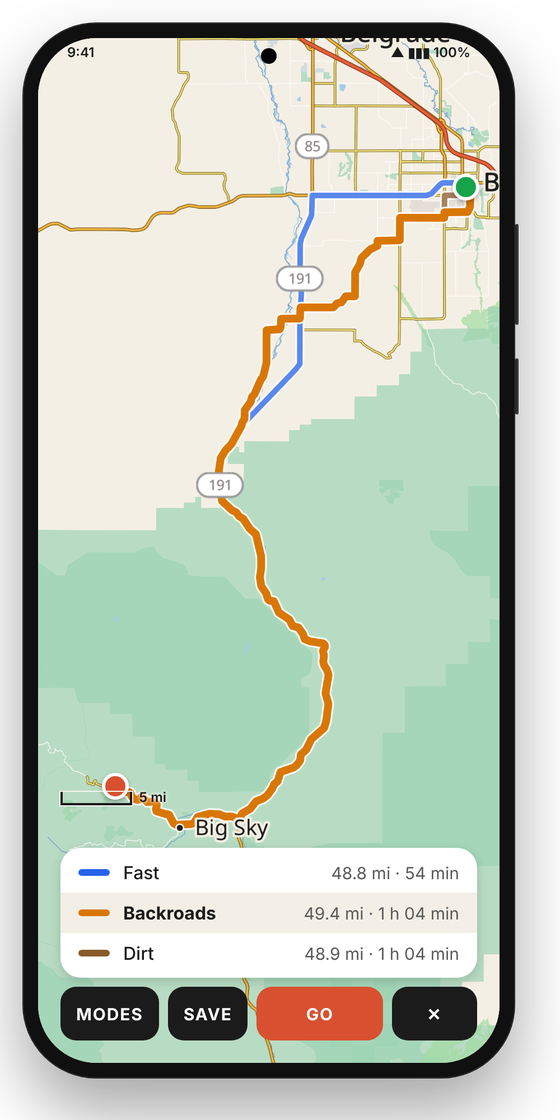
- Long-press the map → ROUTE HERE. Or 🔍 and type an address, street or town.
- Every mode you've ticked under MODES is drawn at once: Fast, Towing, Backroads, Dirt, Ride, Quiet, Gravel. Tap a line or a row to choose it.
- Long-press elsewhere → VIA to pull all routes through a point. FROM plans from somewhere other than where you are.
- GO. Or SAVE to keep it as a roadbook (the turns go in as cues) — see step 7.
3The screen while you ride
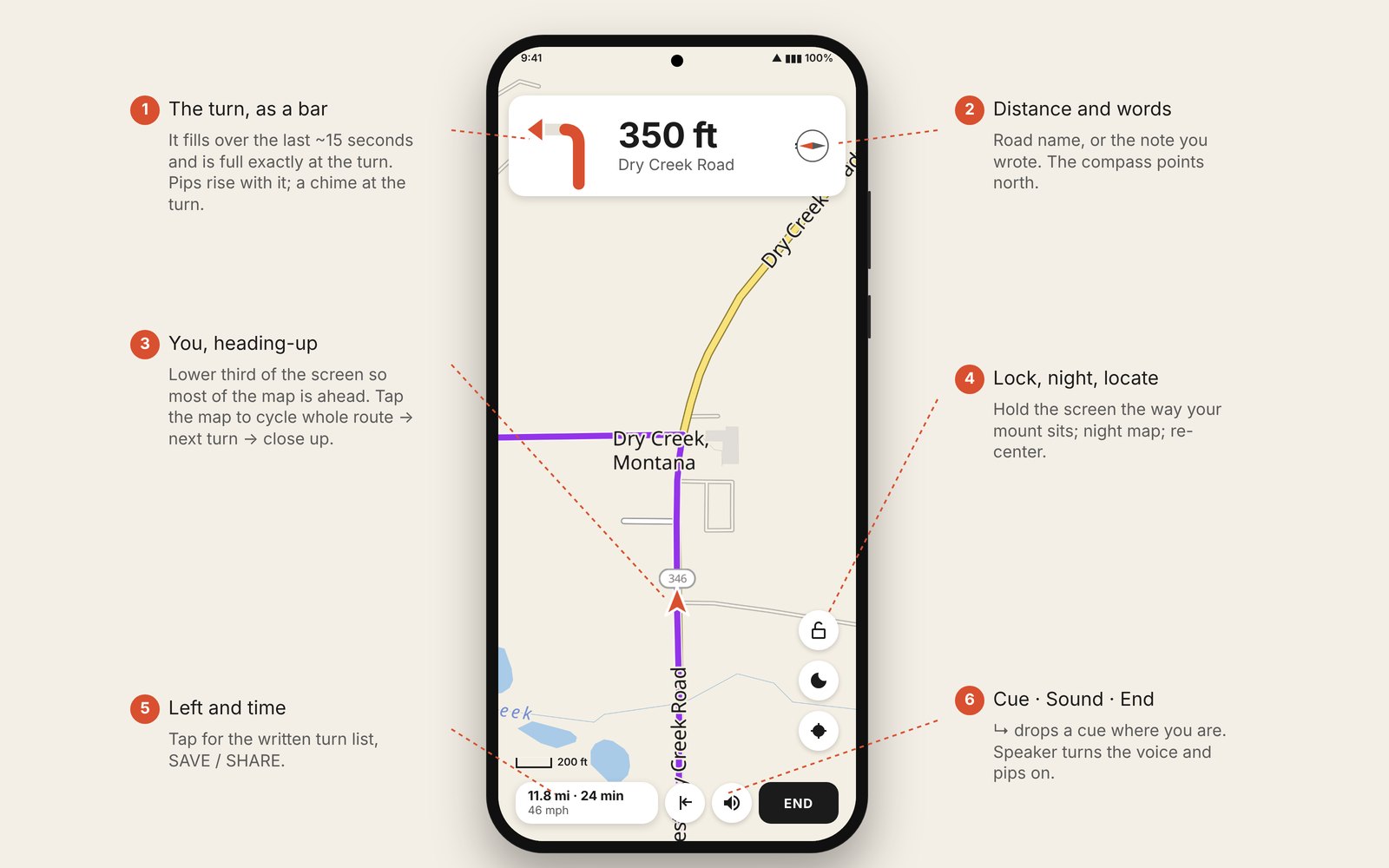
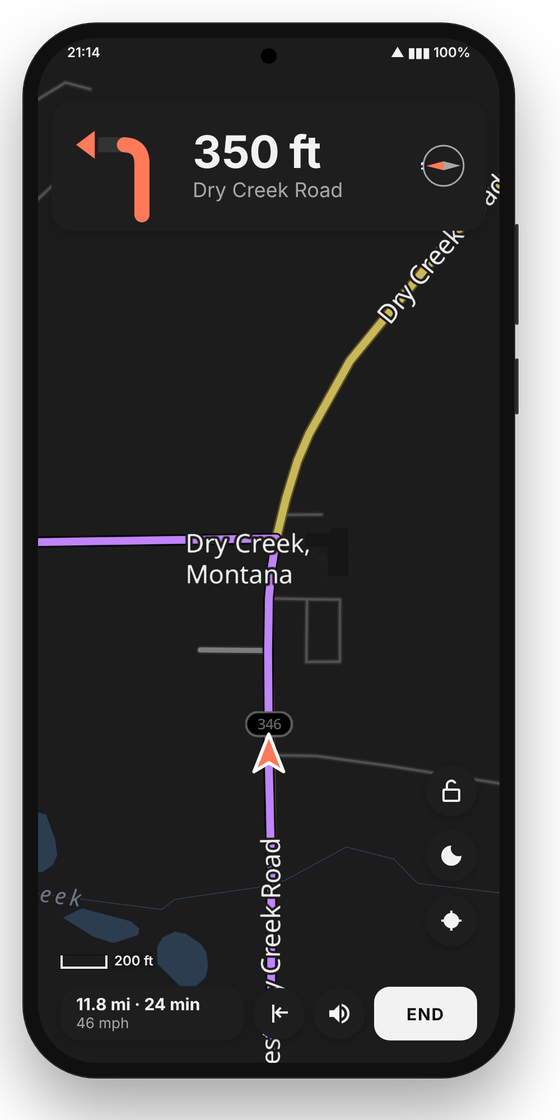
Heading-up, you in the lower third, the next cue on top. Tap the map to cycle whole route → next turn → close up; pinch to adjust, drag to look around (the crosshair resumes following).
4Sound
- Tap the speaker while navigating. Off by default; remembered.
- About fifteen seconds out the cue is spoken: "Left. Onto Dry Creek Road." Then short pips rise one octave and quicken as the bar fills. A two-note chime at the turn.
- A note is read in your words. A danger is announced, then a low buzz at the spot.
- The voice is built into the app. Pair a helmet headset or stereo; the cues go out as navigation audio.
5Off the line
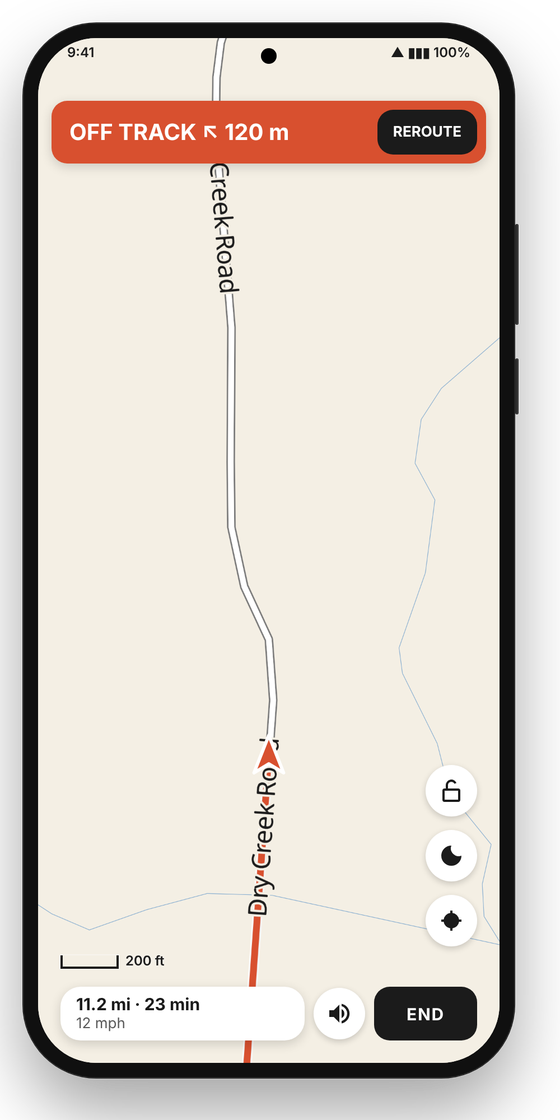
- Leave the route (gas, a look at something) and nothing changes: the banner shows the direction and distance back; one low buzz if sound is on, a short note when you're back.
- Nothing recomputes by itself. For a planned route, REROUTE asks the router from where you are. A roadbook can't be rerouted — ride back to the line.
- END stops. Tap the bottom card for the written turn list and SAVE / SHARE.
6Record a pre-run
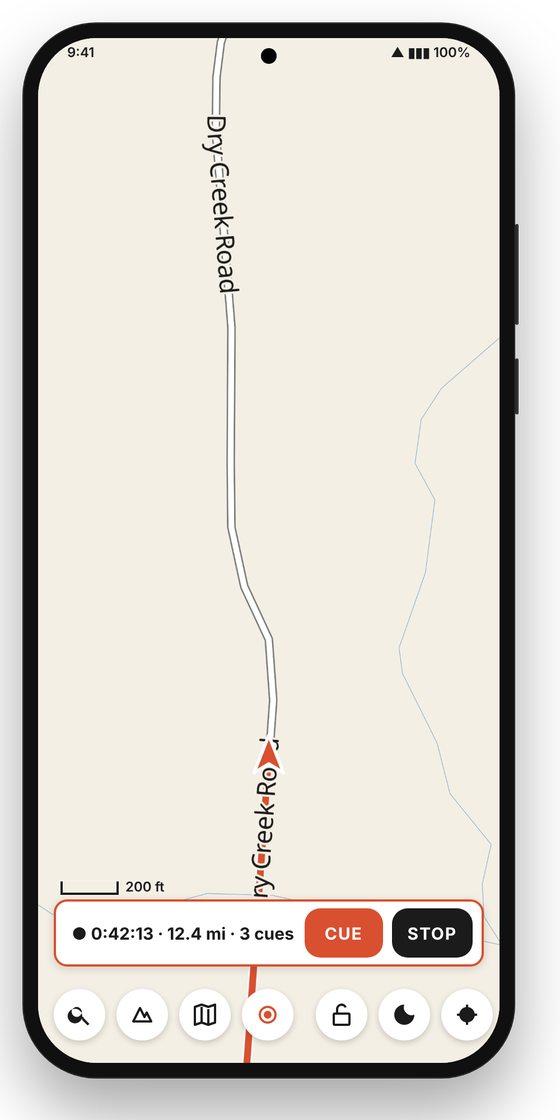
- Tap ●. A strip appears with CUE and STOP. Recording continues with the screen off.
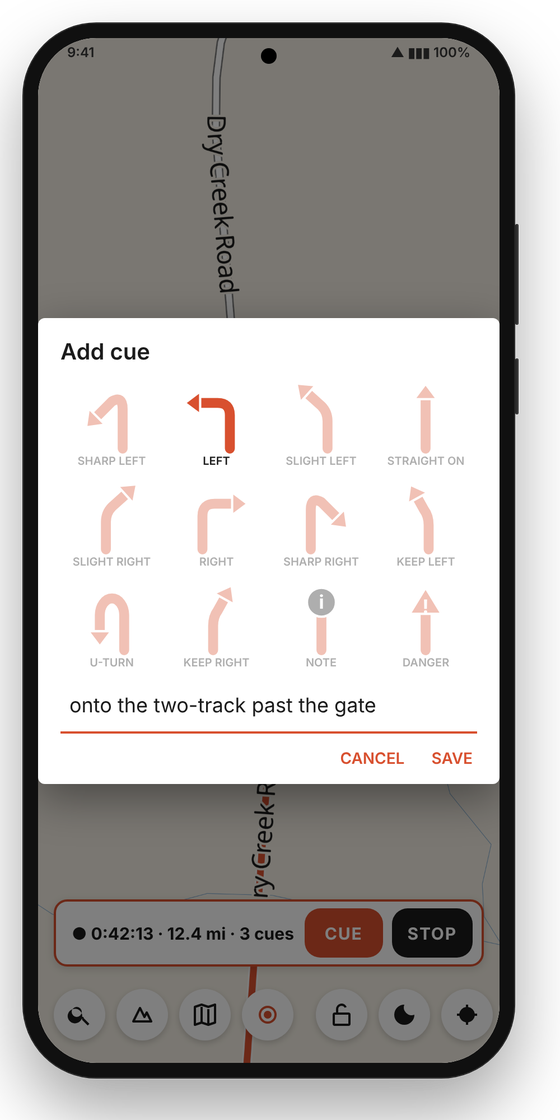
- At every turn and hazard, stop and tap CUE: pick the arrow, or NOTE / DANGER (severity 1–3), type what to say. One tap on an arrow is a complete cue; words are optional except for a note.
- STOP → SAVE (into your folder) or SHARE. One GPX: the line plus the cues.
A crash or dead battery loses at most a minute; the app offers the unfinished recording next time it opens.
7Edit cues on any track
- TRACK → pick a GPX → EDIT CUES. (FOLLOW rides it straight away.)
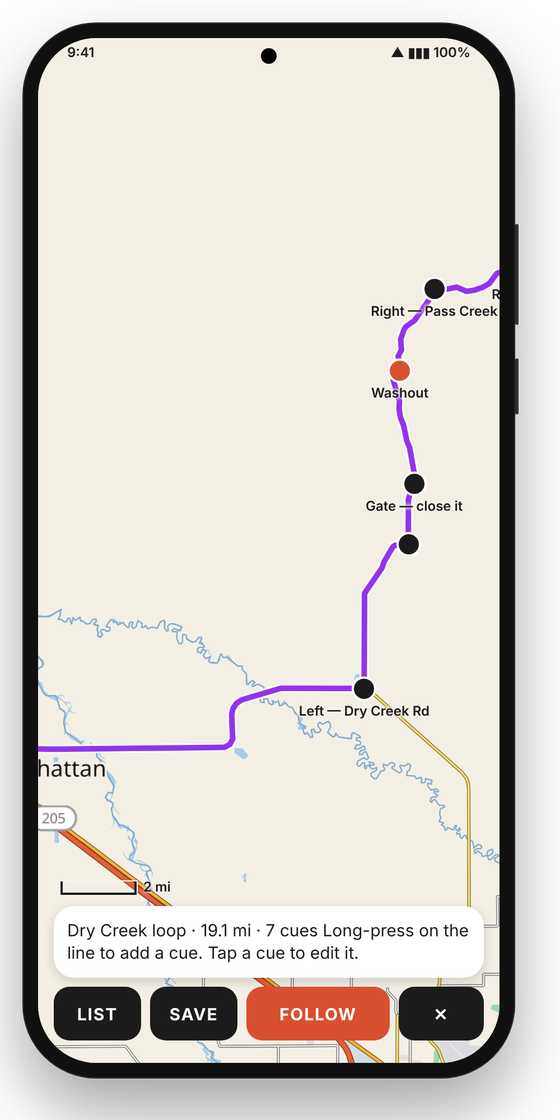
- Long-press on the line to add a cue there. Tap a cue to change or delete it. LIST shows the roadbook as text.
- SAVE writes over the file, or SAVE AS. FOLLOW starts riding it.
- While following, ↳ adds a cue at your position — for the stop-and-note pass on a route you planned at the table.
8The file
A roadbook is an ordinary GPX. Cues are waypoints whose <type> names them; <desc> carries the words. Any GPX editor can write them, and any map app still opens the file.
<wpt lat="46.0201" lon="-112.0000"><desc>onto the ranch road</desc><type>cue:LEFT</type></wpt>
<wpt lat="46.0302" lon="-112.0001"><desc>washout</desc><type>danger:3</type></wpt>
<wpt lat="46.0403" lon="-112.0000"><desc>water crossing</desc><type>note</type></wpt>
Turns: STRAIGHT, SLIGHT_LEFT, SLIGHT_RIGHT, LEFT, RIGHT, SHARP_LEFT, SHARP_RIGHT, KEEP_LEFT, KEEP_RIGHT, UTURN, ROUNDABOUT. Cues more than 150 m from the line are ignored. A track with cues is followed exactly as written — no turns are invented from its shape.